
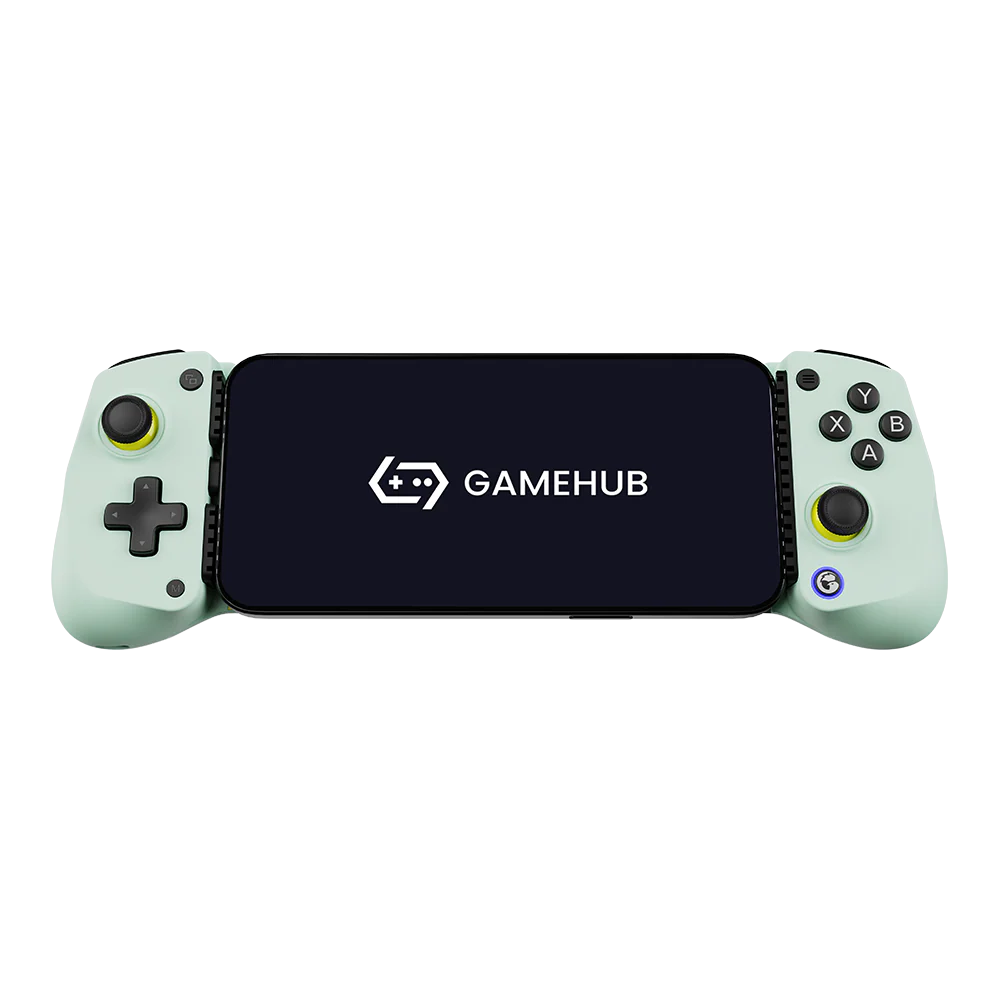
Sometimes as a gamer, you just need a controller. I’ve had my eyes on a few different telescopic controllers for a while now, but they all seemed quite expensive, and I just couldn’t justify spending that much when I have other controllers lying around, like my Moga XP5-X and Xbox One controllers. That is, until I found the GameSir X5 Lite. This little controller packs a lot of value inside the box; let’s explore!
Big Feature Set, Small Price
At first glance, this little controller doesn’t seem that impressive. It does have Hall-effect joysticks, but the all the buttons, including the shoulder triggers, are simple membrane connections. While it doesn’t have analog triggers, I haven’t found this to be a problem for the type of games that I tend to play so this isn’t a deal-breaker for me. The membrane connections are smooth and quiet, and the controller grip is comfortable and light. The thumb sticks are a little on the small side, but not unreasonably so.
Why then do I like the X5 Lite, if it has room for improvement? Short answer: the price. I picked mine up for $25 (reg. $34.99) from Walmart (on-sale), but I’ve heard others have found them as cheap as $15! Finally, a budget option! It doesn’t have Bluetooth or rumble feature, so there is no need for a battery. All it has is your typical Xbox-style buttons, buttons for mode changing and hotkeys, and a USB-C connector with pass-through charging. In short: it has everything I need and nothing I don’t.
Real World Usage
The X5 Lite turns your mobile gaming experience into something more akin to playing a Switch Lite. The device itself is lightweight, but the quality still feels good in your hands. It is compatible with most modern smartphones/small tablets that use a USB-C charging port. At the time of writing this, I have only tested a handful of games on my Samsung Galaxy S24 Ultra, but it should work with newer iPhones as well (as long as it has USB-C).
Running around in Minecraft or Genshin Impact feels great. The telescopic controller is a huge upgrade to on-screen controls, and much more comfortable than my Moga XP5-X (with its clip mechanism holding the phone up above the controller). I feel like I could use this controller all day without fatigue. What really makes this gadget shine, though, is GameSir’s GameHub software. Through the powers of eldritch sorcery, it allows you to play (some) PC games right on your mobile device! I’ve been using it for my Story of Seasons: Friends of Mineral Town play-through. That’s a pretty lightweight game, and it runs flawlessly on my S24 Ultra through GameHub. Setup was so simple that is barely worth talking about. For GameHub I just downloaded the app, launched it, signed into Steam (from inside GameHub), and searched up the game I wanted to install. On the hardware side I just swapped out the rubber pads for the medium-sized one (to allow room for my phone case) and popped the phone in it. The indicator light turned on and…it just worked!
Final Thoughts
The GameSir X5 Lite is a great budget controller for gamers like me who just want to slap some buttons on the side of their phones. It may not have the features and flash of its more expensive relative, the GameSir Galileo or its competitors, but it doesn’t need to have that. It is a cheap and accessible device for anyone that doesn’t want to drop a fortune on new hardware for their phone.
Image by GameSir